

Before investing in a Google Ads campaign, every small business owner asks the same question: will it really pay off? The honest answer begins with an indicator: ROAS. Understanding what Google Ads ROAS actually measures, and what it doesn’t, is the key to making informed budgetary decisions, not decisions based on unverifiable promises of results.
This article goes further than simply defining ROAS. It gives you a step-by-step ROAS calculation, the real thresholds below which Google Ads is structurally unprofitable for an SME, and a clear view of what the campaign learning phase actually entails. And don’t be fooled: some of the information contained here is information Google agencies would prefer not to share with you.
The good news: investing 200 euros a month on Google to earn 2,000 or more is an achievable goal, but not by starting from scratch with 200 euros. This guide explains why, and how to build a realistic profitability trajectory on Google Ads.
What is ROAS in Google Ads strategies? Definition
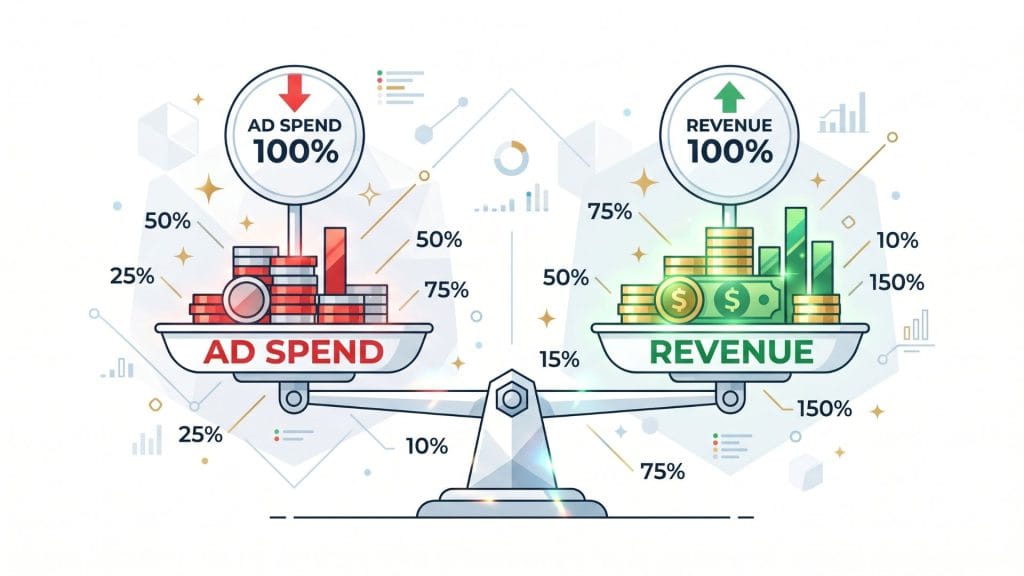
ROAS stands for Return On Ad Spend. It’s the central indicator that measures how much sales you generate for each euro invested in your campaigns. A ROAS of 5 means that for every euro you spend on Google advertising, you generate 5 euros in sales.
ROAS is the essential performance indicator for any results-oriented Google Ads campaign. It’s not a substitute for ROI(return on overallinvestment ), but it does enable you to monitor your advertising spend in real time, and evaluate the effectiveness of your Google campaigns in relation to their cost.
ROAS formula and calculation
ROAS formula: ROAS = Campaign revenue ÷ Advertising expenditure
The calculation is simple: if you spend 1,000 euros on Google ads and your campaigns generate 5,000 euros in sales, your ROAS is 5 (or 500%). This ROAS calculation can be expressed as a ratio or a percentage. Google Ads displays both in your account, depending on the conversion value you’ve set.
Beware of the common trap: ROAS measures a sales ratio, not a net profit. A ROAS of 4 can mask a dry loss if your gross margin is 20%. ROAS calculations must therefore always be read in the light of your actual cost structure. We explain this in detail in the section on break-even points.
The difference between Google Ads ROAS and ROI values
The difference between ROAS and ROI is fundamental. ROAS only takes into account advertising expenditure. It ignores production, logistics, labor and account management costs. ROI, or return on investment, integrates all these costs and gives a vision of the real profitability of the activity.
In practice: your Google Ads ROAS can be positive (you get back more than you spend on advertising), while at the same time showing a negative ROI if your operating costs are high. That’s why it’s imperative for SMEs to calculate their minimum ROAS on the basis of their actual margin, and not settle for a gross ROAS of over 1.
How is Google Ads ROAS calculated?
ROAS calculation is based on the conversion data that Google retrieves from your campaigns. Without properly configured conversion tracking in your Google Ads account, the ROAS displayed is either absent or false. This is the prerequisite for any serious analysis of your Google campaigns.
Step by step: calculating ROAS in your account
Step 1: Set up conversion tracking. Each conversion must be identified and set up in your Google Ads account: online purchase, contact form, phone call, quote request. Without this step, ROAS does not exist in your data.
Step 2: Assign a conversion value. The conversion value is the sales figure you associate with each conversion. For e-commerce, it’s the order value. For a B2B service, it’s the average value of a signed contract, or a conservative estimate. Without a conversion value, the ROAS in your account will be zero.
Step 3: Read the ROAS in your Google Ads account. The “Conversion value/cost” column in your account corresponds directly to your ROAS. Google Ads calculates this ratio automatically from the conversion data it receives. You can also calculate it manually: sales attributed to campaigns ÷ ad spend over the same period.
Example of ROAS calculation for an SME
Let’s take the example of a small business in B2B services launching its first Google campaigns:
Advertising expenditure over 30 days: €1,500
Conversions generated: 5 quotes signed
Average value per contract: €1,200
Sales attributed to campaigns: €6,000
ROAS = 6,000 ÷ 1,500 = 4 (i.e. 400%)
This ROAS of 4 seems excellent. But if this company’s gross margin is 35%, the gross profit generated is 2,100 euros (6,000 × 35%), i.e. a net profit of 600 euros after deduction of advertising expenses. Profitability is there, but it’s less spectacular than the gross ROAS suggests. This is why calculating the break-even point in relation to the margin is essential.
What is a good ROAS result on Google Ads?
There’s no such thing as a universal ROAS. A ROAS of 3 can be perfectly profitable for an industrial SME with 40% gross margin, and catastrophic for an e-commerce business with 15% margin. The value of a ROAS should always be read in relation to your cost structure, not in the abstract.
Breakeven point based on your margin and profits
The basic break-even formula is :
Minimum ROAS = 1 ÷ Gross margin
Here are a few concrete examples:
50% gross margin → minimum ROAS = 2
Gross margin of 33% → minimum ROAS = 3
25% gross margin → minimum ROAS = 4
20% gross margin → minimum ROAS = 5
10% gross margin → minimum ROAS = 10
A ROAS below this threshold means that your campaigns are losing money, even if they are generating sales. Your target ROAS should therefore be higher, ideally 30-50% above this threshold, to absorb variations, account management costs and seasonal fluctuations.
The right ROAS by sector
As an indication, results observed on Google Ads campaigns generally vary between a ROAS of 2 and 5 for B2B services, and between 3 and 8 forecommerce, depending on product category and bidding competition. These ranges are based on experience in the field, not on official benchmarks: your target ROAS should be defined on the basis of your margin and sales cycle, not on the basis of an industry average.
Google Ads budget for SMEs: what’s the minimum threshold to be profitable?
That’s the question every manager asks before investing in Google advertising. And it’s also the one that many service providers answer evasively, so as not to lose a prospect. Here’s the reality, plain and simple.
Why an insufficient budget makes Google Ads structurally unprofitable
Below a certain monthly threshold, Google Ads campaigns cannot be profitable, not because they are badly configured, but because the Google algorithm structurally lacks the data to function.
First reason: the cost per click on competitive keywords is high. In sectors such as construction, business services, finance or legal, the cost per click can reach 3 to 15 euros. A budget of 200 euros per month generates between 13 and 65 clicks, not enough to feed campaigns with usable data.
Second reason: Google’s automaticbidding strategies, especially the TargetROAS bidding strategy, require a minimum of 30 to 50 conversions per month for automatic strategies in general, and 50 conversions over 30 days specifically for Target ROAS. Below this volume, Google is unable to reliably optimize bids on your campaigns and cannot maximize profitability.
Third reason: the Google Ads quality score, which directly influences your position and your cost per click, is built up over time and with volume. A recent account with little data starts out with a structural disadvantage that mechanically increases the cost of each conversion.
Recommended minimum budget for your sector
Here are some realistic thresholds for a Google campaign to reach profitability under normal competitive conditions:
B2B services (consulting, training, software, industrial maintenance): minimum monthly budget of €800 to €1,500. The cost per acquisition is high, but the lifetime customer value justifies the investment. A single signed contract can cover several months of advertising expenditure.
Local businesses and artisans: €400 to €800 per month, with strict geographic targeting. Competition is weaker on local auctions, conversions are faster, and the ROAS achievable is often better.
E-commerce: €600 to €1,500 minimum, depending on product category and competition. E-commerce margins are often low. The ROAStarget must therefore be precisely calibrated to avoid burning budget at a loss.
Construction and industry: €700 to €1,200 minimum. Sales cycles are long, there are multiple points of contact, and the attribution of conversions is complex. However, the value of an acquired customer is very high, which mechanically improves ROAS over the long term.
200 a month on Google Ads: what it can, and can’t, achieve
Let’s get straight to the point. With a €200 monthly Google Ads budget in a competitive sector, you can’t expect any immediate profitability. This budget doesn’t allow you to collect enough conversion data, to seriously test ads, or to feedbidding algorithms.
The objective of paying 200 euros to earn 2,000 is realistic. But it’s built after a learning phase, with well-structured campaigns, accurate conversion tracking, and a monthly budget that allows Google to work from testedads and consolidated data. Starting at €200, you risk paying to learn without ever reaching the threshold that makesoptimization possible. See our Google Ads campaign page to understand how we structure this progression.
To find out more about the mechanics of paid search and how Google Ads fits into your overall digital strategy, visit our SEA paid search page.

The 3-month test phase: anticipating the learning investment
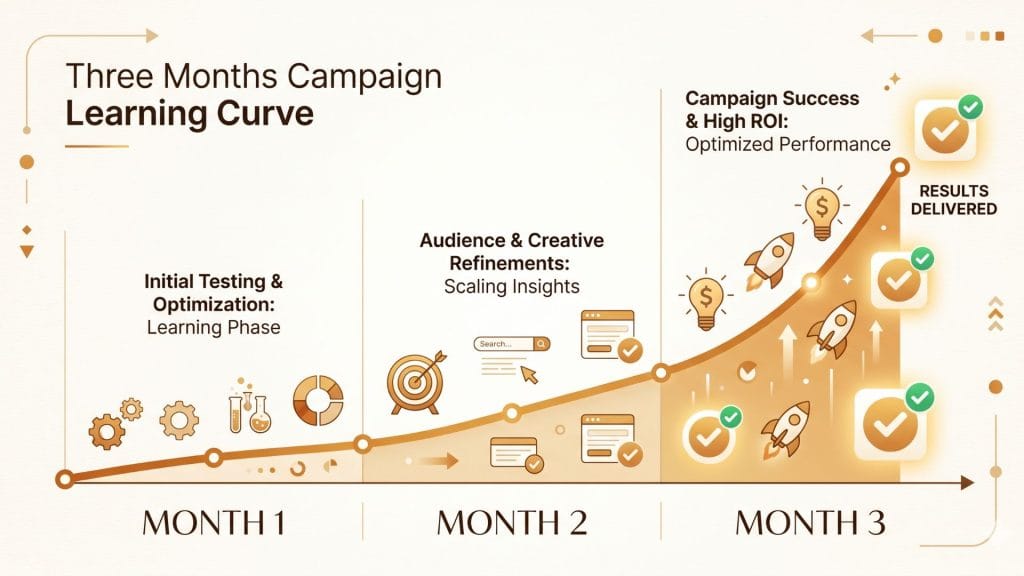
This is the most uncomfortable point to hear for a manager new to Google Ads, and the most important to understand before investing. Google Ads campaigns are not profitable from day one. The first phase is a learning curve, both for the algorithm and for you.
Why Google needs data to optimize your campaigns
Automaticbidding strategies, such as Target ROAS and Maximize Conversions, require historical conversion data to predict behavior and adjust bids in real time. Google officially recommends a minimum of 6 weeks before evaluating the performance of an automaticbidding strategy on a new campaign.
On your side, you need time to test your ads, identify the keywords and match types that convert, refine your target audience, and calibrate your target ROAS on real rather than theoretical data. Theexperience of many SMEs confirms that it rarely takes less than 3 months to get a reliable view of the potential profitability of a Google Ads account.
What you need to budget for the test phase
In practice, a 3-month test phase represents an investment, part of which should be considered as a cost of acquiring data and market knowledge, not just as an expense generating immediate revenue. You will probably generate conversions during this period, but the ROAS of the first 3 months will not be representative of the ROAS you’ll achieve once the campaigns have stabilized.
A reasonable test budget is between €1,500 and €4,500 over 3 months, depending on your sector and bidding competition. This is the price of a clear vision of the profitability of Google Ads for your business and your ROAS target. Our guide to Google paid search details the configuration steps that maximize theuse of this test budget.
How do you find your target ROAS for your Google Ads campaigns?
The target ROAS, or ROAS target in the Google interface, is the value you ask thebidding algorithm to reach by automatically driving your bids for each ad you place. This figure must be rigorously calculated, not guessed at.
Calculate your target ROAS from your margin
Step 1: Identify your gross margin per product or service sold.
Step 2: Calculate your minimum ROAS with the formula: 1 ÷ gross margin. This is the floor below which your campaigns lose money.
Step 3: Add a safety margin. Your target ROAS should be 30% to 50% higher than your minimum ROAS to absorb variations, management costs and bid fluctuations.
Step 4: Integrate customer lifetime if your business generates recurring purchases. If a customer acquired via Google Ads generates an average of 3 orders over 2 years, your real conversion value is much higher than the first purchase, and your target ROAS can be set lower on the first conversion without harming overall profitability.
Example: your gross margin is 40%. Your minimum ROAS is 1 ÷ 0.4 = 2.5. Your reasonable target ROAS will be set between 3.5 and 4 to ensure a comfortable profit margin.
Target ROAS and conversion data: the prerequisites
A TargetROAS bidding strategy can only work properly if your Google Ads account already has sufficient conversion data. Google recommends a minimum of 50 conversions over the last 30 days before activating the Target ROAS bidding strategy. This is the official threshold, more demanding than that required for other automatic strategies. Below this volume, the algorithm lacks the material to adjust bids with relevance.
That’s why the logical sequence is: start with the “Maximize conversions ” strategy to generate volume and data, then switch to the target ROAS once the conversions threshold has been reached. This is the standard path we follow for all the Google campaigns we manage at Altosor Communication.
The target ROAS bidding strategy in Google Ads
What is a target ROAS bidding strategy?
Target ROAS bidding is an automaticbidding strategy offered by Google Ads. It asks the algorithm to adjust your bids in real time, with eachad impression, to maximize the total conversion value of your campaigns while maintaining an average ROAS as close as possible to your target.
In practice: Google will bid higher on users it predicts are likely to generate a high-value conversion, and reduce (or remove) its bids on less qualified profiles. This strategy assumes that Google has a substantial data history on your business. account. CThis is the minimum data requirement mentioned above.
When to use the target ROAS bidding strategy?
The targetROAS bidding strategy is relevant when :
Your Google Ads account records a minimum of 30 to 50 conversions per month;
You have configured conversions with differentiated conversion values (not all your conversions are worth the same);
Your business is sufficiently stable for historical data to be representative of future results;
You have defined a realistic ROAS target, based on your actual margin.
Is the “Maximize conversions” strategy profitable?
The “Maximize conversions ” strategy is often the best starting strategy for new campaigns. Its objective: spend your budget by generating the maximum number of conversions, without ROAS constraints.
Is it profitable from the outset? Not necessarily. It’s designed to feed Google conversion data, not to optimize immediate profitability. A campaign driven by
“Maximize conversions ” can generate results at a cost that exceeds your break-even point. This is predictable and acceptable during the learning phase.
The best long-term strategy for a profit-conscious SME: use “Maximize conversions ” as a springboard to target ROAS, setting a realistic target ROAS once the data is available. It’s this progressive strategy that produces the best sustainable results on Google advertising campaigns.

Other indicators to track in addition to ROAS
ROAS is the central indicator, but it doesn’t tell the whole story. To manage your Google campaigns with precision, there are several additional indicators that deserve your attention.
Conversion rate, CPA and quality score
The conversion rate measures the proportion of clicks that turn into conversions. A low conversion rate with a decent ROAS indicates that a few large conversions are potentially masking unstable results. Conversely, a good conversion rate with a disappointing ROAS points to problems of conversion value or targeting.
Cost per acquisition (CPA) complements ROAS by measuring the average cost of a conversion, regardless of its value. For B2B activities with no fixed conversion value, such as lead generation, CPA is often more operational on a day-to-day basis than ROAS.
The Google Ads quality score reflects the quality of your ads, keywords and landing pages in the eyes of Google. A high quality score reduces your cost per click and improves your position in the results, with a direct and positive impact on the profitability of your Google campaigns. Our article dedicated to Google Ads quality score details the levers for improvement.
Site landing pages and ad quality
Ad quality and landing pageexperience are factors that many SMEs underestimate in their performance analysis. A well-written ad that links to a generic or poorly structured page degrades the quality score, increases the cost per click and reduces the conversion rate, with a direct and negative impact on your ROAS.
The content of your Google Ads landing pages or landing pages must be consistent with your ads, clearly oriented towards the desired action, and mobile-optimized first and foremost. This is an often underestimated investment, which can significantly improve the profitability of your campaigns without increasing your advertising budget by a single euro. Communication between your ad and your landing page is a key element of overall performance.
Google Ads and SEO are two complementary levers: one provides immediate visibility, the other builds a sustainable audience over the long term. Find out how Altosor combines the two in its SEO and GEO strategy.
What Google agencies do to optimize your ROAS
Working with Google Partner Agencies brings a resource that few SMBs can develop in-house: access to sector-specific performance data, advancedanalysis tools and experience across multiple Google Ads accounts managed simultaneously. It’s not a guarantee of immediate results, but it’s a gas pedal of quality andanalysis on the Google marketplace.
In concrete terms, a good agency will rigorously configure conversion tracking by assigning a realistic value to each type of conversion, including “soft” conversions (time on site, partially completed form ) when hard conversions lack data.
It will structure your account with a clear campaign logic, match types adapted to your audience, and an architecture that facilitates progressive bidanalysis and optimization. It will calibrate your target ROAS based on your actual margin, not a theoretical figure, and evolve thebidding strategy with the data available in the account.
Finally, it will analyze the complete user journey from initial touchpoints through to conversion, to avoid attribution biases that distort the perceived ROAS in your account and distort your budget decisions. You’ll find the resources you need to understand our approach on our website: Altosor Communication.
Google Ads ROAS and SMB budgets: what you need to know
Google Ads ROAS is the central indicator for monitoring the profitability of your advertising campaigns. But it only makes sense when put in your real context: your margin, your sector, the value of your customers, the length of your sales cycle.
The ROAS calculation is simple: revenues ÷ advertising spend. However, real profitability requires you to integrate your gross margin to identify the break-even point below which your campaigns lose money, regardless of the ROAS displayed.
An insufficient monthly budget makes Google Ads structurally unprofitable in most competitive sectors. Google Ads profitability requires a minimum investment that allows thebidding algorithm to work, ads to be tested, and conversion data to accumulate.
The first 3 months are an essential learning phase: you’re investing as much in knowledge of your advertising market as in immediate results. Anticipating this cost of entry is an intelligent and realistic way of securing the rest of your Google Ads strategy.
The targetROAS bidding strategy is a powerful tool, but it can only be effectively activated on a Google Ads account with sufficient historical conversion data. It’s thegoal, not the starting point.
At Altosor Communication, we help small and medium-sized businesses set up profitable Google campaigns, frombidding strategy to resultsanalysis, including ad quality and landing page optimization. Your goal: to know exactly what you’re getting for every euro invested in advertising. Consult our complete guide to Google Ads campaigns or our resources on Google paid search to find out more.
Ready to launch a profitable Google Ads campaign? Contact our team for an audit of your situation and a budget recommendation tailored to your sector.